Table of Contents
Overview and Requirements
This article aims to give advice for using Control on an Apple Mac.
Please note: Using Control on a Mac is not supported by Cyrious technical support.
This does not apply to Control Cloud (A2Z) customers that are connecting via Mac. Those customers should follow this article: control_cloud_-_logging_in_on_a_mac.
Since Control is a Windows application, you must use it within a Microsoft Windows environment. There are a couple options for this. Both of these options require a Mac with an Intel Core processor and at least 4 GB of RAM. If you have a Mac made after 2009, you should meet this requirement. Check your system specifications by going to the Apple menu and choosing About this Mac.
Both of these options require a licensed copy of Microsoft Windows 7 or newer.
Using Virtualization Software
You can run Windows within Mac OS X by using virtualization software, such as Parallels Desktop or VMWare Fusion. This software creates a virtual machine that can run a different operating system (such as Microsoft Windows) alongside your other Mac applications.

Pros: Can run Control simultaneously alongside your other Mac applications.
Cons: Control will run more slowly than when running Windows natively using Boot Camp.
Virtual Machine Requirements
The virtual machine you create in Parallels or VMWare must meet the same requirements as any PC used for running Control. This includes (minimum):
- Two CPU cores
- 4GB RAM
- 1000Mb/s wired ethernet connection
- Windows 7 Professional
For a complete list of recommended system requirements, see control_recommended_minimum_computer_hardware_specifications.
Bridged Network Connection
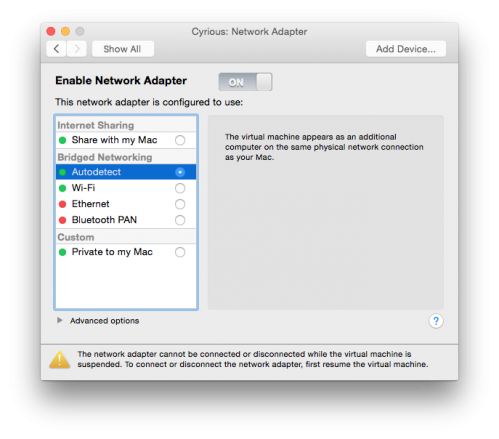
It's very important to ensure your virtual machine is using a bridged network connection. By default, they typically do not. You can change this in the virtual machine settings.
Using Boot Camp
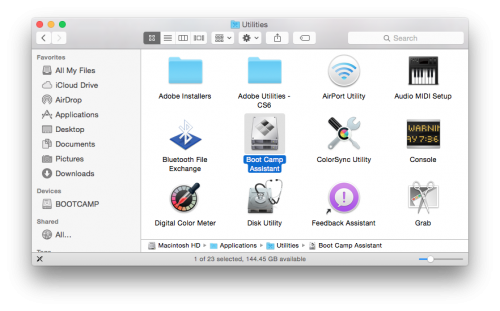
Your Mac has the built-in ability to install and run Microsoft Windows natively. You'll find the Boot Camp Assistant in the Applications/Utilities folder.
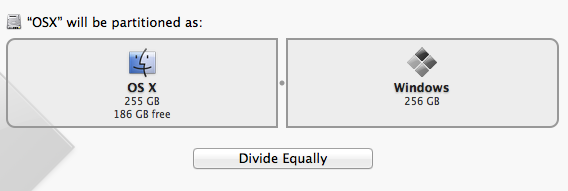
Insert your Windows installation disk and run Boot Camp Assistant. When you do, it will have you give a portion of your hard disk to Windows, then walk you through installing it.
Pros: Control will run faster than it would using virtualization software.
Cons: You must reboot your Mac into Microsoft Windows, so you cannot run your Mac applications while using Control.
See Also
- Backlinks include_pagepage_componentbacklinks